What Is Steal A Brainrot?
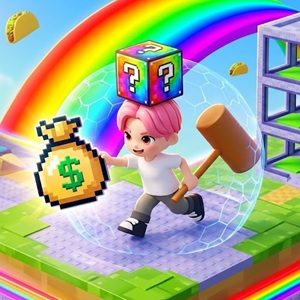
Steal A Brainrot is an addictive online multiplayer game that combines tycoon building with fast action. I spent hours testing this game on my server to see how it works. You start in a colorful block world where your main goal is simple. You buy brainrot meme characters, put them in your base, and watch cash roll in every second.
The twist comes when you look at other players. You do not just build quietly in your corner. You can run over to rival bases and grab their lucky blocks or high value memes. It creates a constant risk factor. While you are out raiding someone else, another player might be sneaking into your base to snatch your rarest characters.
The visual style is vibrant and full of Internet culture references. Floating tacos, rainbow highways, and funny meme figures give the game a light vibe. However, the gameplay loop keeps your hands busy. You constantly balance expanding your income and defending your base.
How to Play
What can you do in the game
Step 1: Buy Your First Memes
When you join a server, run straight to the shop area. You will use your starting cash to buy basic meme blocks like Noob Sandwichini. Place them on the green pads inside your base. These characters generate passive cash every second.
Step 2: Steal from Other Players
Once you save up enough money, grab a weapon like a hammer. Sneak into nearby player bases. Look for exposed lucky blocks or expensive memes. Snatch them and sprint back to your base before the owner catches you.
Step 3: Upgrade Base and Rebirth
As your cash grows, buy better weapons and unlock stronger protection barriers. When your income hits a wall, hit the Rebirth button. Rebirthing resets your current cash, but it unlocks massive income multipliers for your next run.
Controls
- F Key or Shop Icon: Open the item shop to buy memes and lucky blocks.
- K Key or Book Icon: Open your meme collection book to view rarity levels.
- M Key or Hammer Icon: Equip your main weapon or tool.
- G Key or Home Icon: Instantly teleport back to your home base.
- V Key or Rebirth Icon: Perform a rebirth to boost future earnings.
- R Key or Phone Icon: Access game options or mobile features.
- Enter Key: Open chat to communicate or trade with other players.
- Mouse Left Click: Swing your hammer or pick up loot blocks.
Tips to Protect Your Base and Maximize Earnings
After getting raided five times in a row during my first session, I realized that raw aggressive play does not always work. You need a real plan if you want to hold the top spot on the server leaderboard.
Invest in Base Protection Early
Do not leave your base completely open while you travel across the map. You can activate temporary protection shields for 120 seconds. Use this safety time to go on long distance raids without worrying about your own loot.
Focus on High Yield Meme Slots
Not all memes are equal. Check the earnings-per-second displayed above each character pad. Swap out low level common memes like Noob Sandwichini as soon as you can afford rare lucky blocks. High tier memes scale your passive income exponentially.
Use the Hammer Efficiently
Your hammer is not just for show. Use it to defend your base when sneaky players try to cross your threshold. A quick hit will stop thieves in their tracks before they can run away with your hard earned loot.
Frequently Asked Questions
Can you play Steal A Brainrot for free in your browser?
- Yes. The game runs directly in modern web browsers without requiring any downloads or account payments.
Does your progress save automatically when you leave?
- Yes. Your money, unlocked memes, and base upgrades automatically stay saved to your server profile for your next session.
Can other players steal items while you are offline?
- No. Your base and items are active only when you are connected to an active server room.
Is rebirth necessary to unlock high tier memes?
- Yes. Rebirthing provides essential income multipliers that allow you to afford the most expensive legendary blocks in later stages.